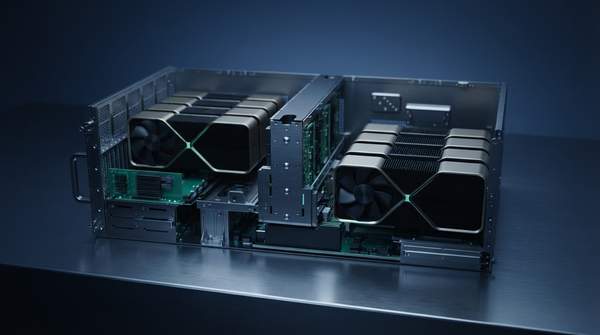
Cloud gaming works by turning a remote data center into the player's console: your input travels to a server, the game runs there, and the rendered result streams back to your screen as compressed video. The entire round trip—input capture, uplink, game logic, GPU rendering, video encoding, downlink, and decoding—must complete within strict latency budgets for the experience to feel responsive. According to data center operator Netrality, current cloud gaming achieves roughly 20 milliseconds of network latency under optimal conditions, enough for seamless play in most genres, though competitive players still perceive lag. Understanding how the pieces fit together explains why infrastructure, not your device, determines whether cloud gaming feels local or sluggish.
The Cloud Gaming Data Loop: An End-to-End Process
The best way to understand cloud gaming is as a continuous feedback loop rather than a collection of separate technologies. Academic researchers describing the general architecture of cloud gaming services frame it the same way: a client runtime on the user's side captures inputs and sends them to the server, where the game application runs its logic using those inputs. Once a frame is rendered, it is encoded and transmitted back through a streaming module, and the client decodes and displays it. The loop repeats dozens of times per second, and every stage adds delay. The engineering challenge is not eliminating latency—that is physically impossible—but compressing each stage's contribution so the total stays inside the player's perception threshold.
The Six Stages of the Cloud Gaming Feedback Loop
The table below traces one complete cycle of the loop, from a player's action to the pixel appearing on screen, identifying the component responsible for each stage and how it manages latency.
| Stage | Infrastructure Component | What Happens | Latency Mitigation |
|---|---|---|---|
| 1. Player Input | Client device (app, browser, console, mobile, smart TV) | Button presses and joystick movements are captured by the client application. | Thin clients keep local processing minimal; even commodity devices can capture input quickly. |
| 2. Uplink Transit | Network connection to the server | Input commands travel from the client to the cloud gaming server. | Edge servers placed near players shorten the physical distance inputs must travel. |
| 3. Server Processing | Data center CPUs and GPUs | Game logic executes and frames are rendered on server-side graphics hardware. | Powerful GPUs generate frames rapidly; virtualization shares hardware efficiently across users. |
| 4. Video Encoding | Server-side encoder (hardware-accelerated) | Rendered frames are compressed into a video stream, such as H.265 or H.264. | Hardware-accelerated encoding keeps compression fast enough to sustain high frame rates. |
| 5. Downlink Transit | Network connection back to the client | The encoded video stream travels from the server to the player's device. | Edge proximity and faster networks like 5G reduce travel time and improve stream stability. |
| 6. Decoding & Display | Client device decoder and screen | The client decodes the incoming stream and displays the game. | Hardware decoding on the client shortens the final processing step. |
Reading the table as a sequence is the point: latency is introduced at every row, and the technologies in the final column each target a different portion of the total. A player who experiences lag cannot fix it by upgrading their device alone, because stages two through five happen entirely in the network and the data center.
Stage 1: Player Input and Uplink to Edge Servers
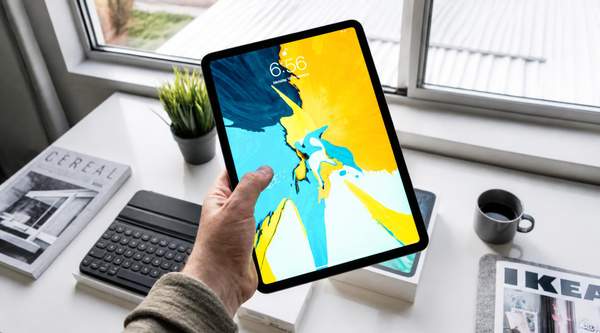
Everything begins with a deliberately simple device. As DigitalOcean explains in its technical overview, the client can be a dedicated app, a web browser, a console, a mobile device, or integrated software on a smart TV. Its responsibilities are modest but critical: decoding the incoming video stream, displaying the game, capturing user inputs, sending them to the server, and managing the connection. Because the client does no heavy computation, even low-end hardware can participate—the demanding work happens elsewhere.
The uplink is where geography starts to matter. The input must physically travel to a server, and the distance it covers directly shapes response time. This is why providers deploy infrastructure at the network edge, close to wireless towers and last-mile networks, rather than relying on a handful of centralized facilities. Netrality notes that the evolution of 5G and edge computing aims to push total latency toward single-digit milliseconds, approaching the feel of local hardware.
Stage 2: Server-Side Game Logic and GPU Rendering
Once input arrives, the server becomes the console. The game application runs its logic against the received inputs and renders each frame on data center graphics hardware. This is where the economics of cloud gaming invert: instead of millions of players owning millions of consoles, a provider concentrates high-end GPUs in a few facilities and shares them across concurrent sessions through virtualization.
The hardware itself defines the fidelity ceiling. NVIDIA, whose RTX servers form the backbone of its GeForce NOW service, describes data center GPUs that enable real-time ray tracing and DLSS, an AI rendering technique that boosts frame rates while preserving image quality. The significance for the loop is straightforward: the faster a frame can be rendered, the more of the latency budget remains available for network transit and encoding. A slow GPU does not just lower visual quality—it consumes milliseconds the rest of the pipeline cannot spare.
Stage 3: Video Encoding and Downlink Streaming
A rendered frame is useless to the player until it becomes video. The server encodes each frame into a compressed stream—NVIDIA's service converts gameplay into high-definition H.265 and H.264 video—and pushes it back over the network. Encoding is a race against the frame clock: compression must be fast enough that the stream keeps pace with the game's frame rate.
Hardware acceleration is the decisive factor here. NVIDIA credits its capture and encoding technology, along with hardware acceleration in both video encoding and decoding, for gameplay streamed "at high frame rates, with low enough latency that most games will feel like the game is being played locally." The company states that the total time from button press to on-screen action in its data centers is less than one-tenth of a second. That figure is a provider's own claim about its service, but it illustrates the scale of the budget the entire loop must respect.
On the downlink, the stream must survive real network conditions. Adaptive bitrate streaming, which DigitalOcean describes as adjusting video quality based on the user's network conditions, trades resolution for continuity when bandwidth fluctuates—prioritizing a responsive experience over a momentarily sharper image.
Stage 4: Client-Side Decoding and Display
The loop closes on the player's screen. The client decodes the incoming compressed video and displays it, completing the cycle that began with the input capture. Hardware decoding on the client side shortens this final step, and because the client is doing only decode and display work, the same stream can theoretically reach anything from a phone to a smart TV. The result is hardware independence for developers: as DigitalOcean notes, studios can build high-end games without worrying about end-user hardware limitations, reaching players across devices that could never run the game locally.
Key Strategies for Minimizing Latency and Maximizing Quality
Across the whole loop, providers lean on three complementary strategies, each targeting a different source of delay. First, physical proximity: Meta's engineering team is blunt that its centralized data centers alone cannot deliver the ultra-low latency cloud gaming demands, so it deploys infrastructure at edge sites in metropolitan areas close to large populations—and latency improves further as the number of edge sites grows. Second, powerful hardware: server-side GPUs and hardware-accelerated encoding compress the processing stages of the loop, enabling high frame rates without inflating delay. Third, network resilience: adaptive bitrate streaming and the increased speed and stability that Worldstream attributes to 5G rollouts help the downlink absorb fluctuating conditions without stalling the stream.
No single strategy suffices. Edge proximity cannot compensate for a GPU that renders too slowly, and the fastest hardware is wasted if the network drops frames. The strategies work only in combination, which is why cloud gaming performance is an infrastructure problem end to end rather than a device specification.
Optimizing for Responsiveness: The Continuous Challenge
To achieve a seamless cloud gaming experience, infrastructure must continuously optimize for minimal latency across network transit, server processing, and client-side operations. The loop never stops: every frame is a fresh negotiation between distance, hardware speed, and network conditions. For readers evaluating the technology, the measurable indicator is player-perceived input lag and video quality fluctuations during gameplay. When those stay low—Netrality reports players describing seamless experiences at roughly 20 milliseconds of network latency under optimal conditions—the loop is doing its job, and the data center successfully disappears into the game.
Sources
- Low Latency Gaming Infrastructure: A Network Optimization Guide — Netrality Data Centers
- Adrenaline: Adaptive Rendering Optimization System for Scalable Cloud Gaming — ARXIV
- What is Cloud Gaming? New Frontiers for Game Development and Distribution — Digitalocean
- What Is Cloud Gaming? — NVIDIA Blog
- Under the hood: Meta’s cloud gaming infrastructure — Engineering at Meta
- Cloud Gaming: The Future of Global Gaming Infrastructure? — Worldstream